
Configuring Your Own CDN for Website and Resource Acceleration
Configuring Your Own CDN for Website and Resource Acceleration
Background
Because my West Data host cannot configure cross-origin resource sharing (CORS) for fonts, I decided to try using a CDN for acceleration.
About CDN
1. What is CDN?
CDN stands for Content Delivery Network. It is a distributed network built on top of the bearer network, consisting of edge node server clusters distributed in different regions.
CDNs are widely used and support content acceleration in various industries and scenarios, such as: small image files, large file downloads, video on demand, live streaming, whole-site acceleration, and security acceleration.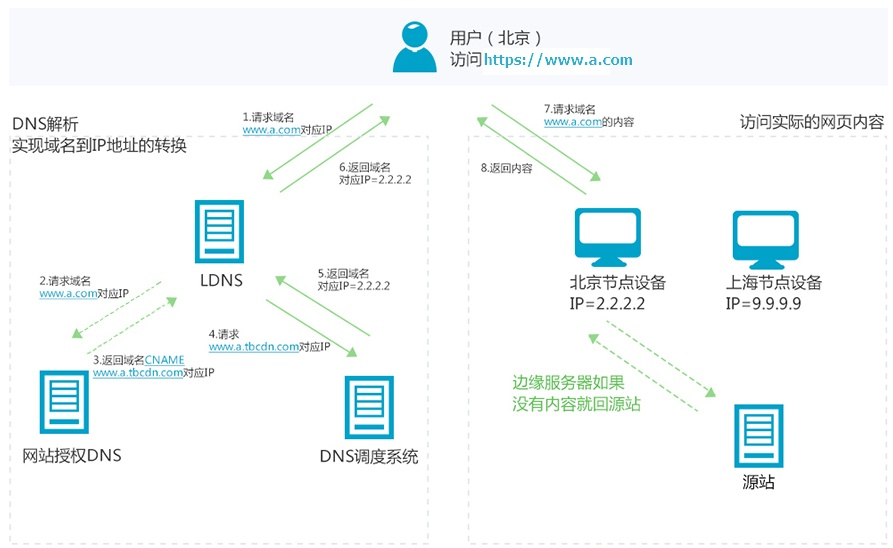
2. How CDN Works
The principle of a CDN is to cache resources from the origin server to CDN nodes located across the country. When users request resources, the cached resources are returned from the nearest node, eliminating the need for every user request to retrieve data from your origin server. This avoids network congestion, shares the origin server's load, and ensures the speed and experience of users accessing resources.
3. The Difference Between CDN and Traditional Website Access
The main function of a CDN is to cache content in different locations. Using load balancing technology, user requests are directed to the most appropriate cache server to fetch content. For example, a user in Beijing will be directed to access a Beijing node, and a user in Shenzhen will be directed to a Shenzhen node. Through this proximity access, user access to the website is accelerated, resolving internet network congestion and improving response speeds.
Reference: https://cloud.tencent.com/developer/article/1779335
Configuring Baidu Cloud CDN
Fill in the CDN Configuration Information
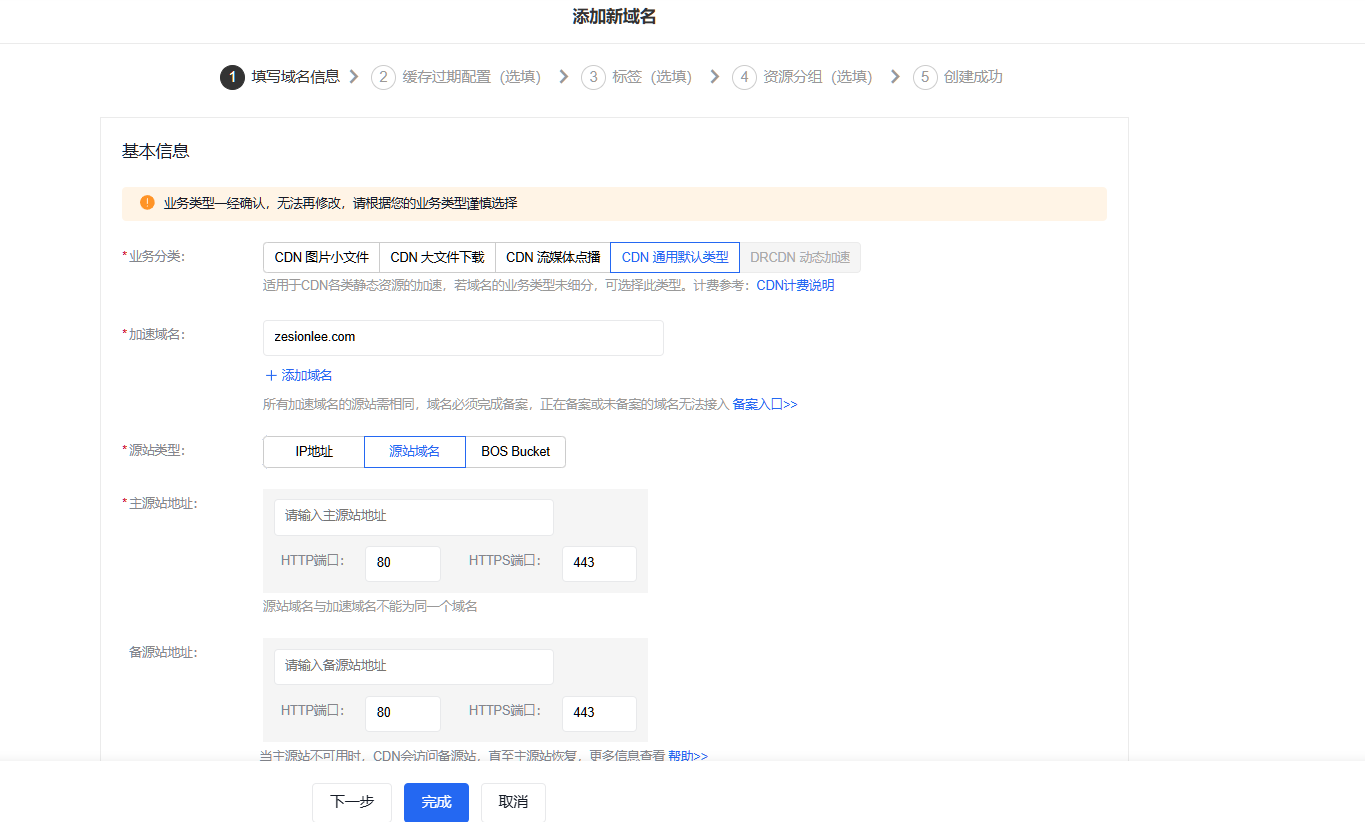
CDN Configuration Information - Acceleration Domain: The CDN domain to be accessed after configuration.
- Origin Type: Can be an IP address, origin domain name, or BOS (Object Storage).
- Main Origin Address: The source IP address or source domain name to be accelerated.
Configure Origin Domain Resolution
Add the provided CNAME after configuration to the resolution table of the origin domain.
Configure Cross-Origin Access
To conveniently call CDN resources during debugging, you can configure cross-origin access for the CDN.
Configure cross-origin access rules in Access Control - Cross-Origin Access Configuration:

AI Translation | AI 翻译
This article was translated from Chinese to English by AI. If there are any inaccuracies, please refer to the original Chinese version.
本文由 AI 辅助从中文翻译为英文。如遇不准确之处,请以中文原版为准。