
Solving the Connection Failure Issue in IDEA Remote Development
11/4/24Less than 1 minute
Solving the Connection Failure Issue in IDEA Remote Development
The default sshd in UOS has TCP and port forwarding disabled, which need to be enabled manually. Edit the configuration with vim /etc/ssh/sshd_config:
AllowTcpForwarding yes
AllowAgentForwarding yes
Addendum: Issue of Unactivated Status Display After Remote Connection
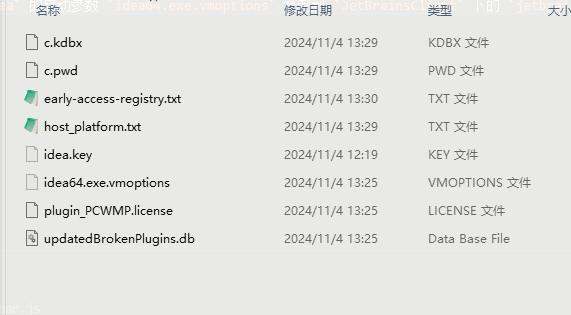
Copy the startup parameter idea64.exe.vmoptions of IntelliJIdea located in the C:\Users\[Username]\AppData\Roaming\JetBrains folder to jetbrains_client64.exe.vmoptions under JetBrainsClient. You can also replace these files.
AI Translation | AI 翻译
This article was translated from Chinese to English by AI. If there are any inaccuracies, please refer to the original Chinese version.
本文由 AI 辅助从中文翻译为英文。如遇不准确之处,请以中文原版为准。